claw-bot
中文 · Homepage · Jetson acceptance
claw-bot is an Agent Harness plugin for robot perception, action, and
feedback. It packages a skill, MCP server, CLI, dashboard, and acceptance tools
so a decision agent can use capabilities exposed by a realworld or
simulator environment.
claw-bot plugin + decision agent = Robot Brain
Install
For a published npm package, install and configure a Linux or Jetson robot host in one command:
npm exec --yes --package @bozhi-ai/claw-bot@latest -- claw-bot install --yes --json
For GitHub distribution, use the repository as both the temporary installer package and the global package source:
CLAW_BOT_INSTALL_PACKAGE_SPEC=github:bozhi-ai/claw-bot \
npm exec --yes --package github:bozhi-ai/claw-bot -- claw-bot install --yes --json
The installer globally installs or refreshes claw-bot, writes the dashboard
token, claw-bot config, Codex profile, and systemd user service, then starts
the dashboard service. It assumes Linux with node, npm, git,
systemctl --user, an available dashboard port 8787, and optionally arecord
for microphone diagnostics.
If systemctl --user cannot run because lingering is disabled, enable it
outside this repository:
loginctl enable-linger "$USER"
Dashboard
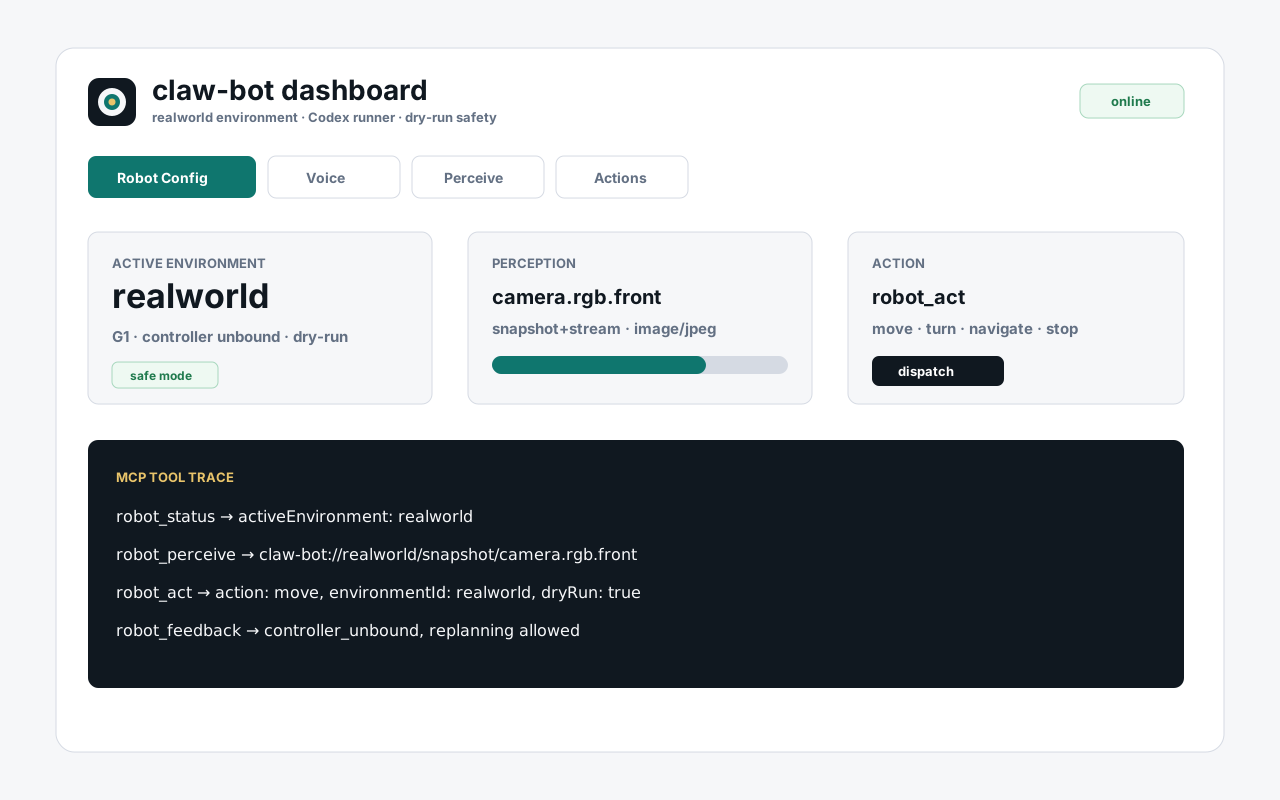
The dashboard is the field acceptance and operator surface. It shows voice state, microphone readiness, environment configuration, agent plan, action payloads, controller feedback, and maintenance status.
Read the dashboard URL:
claw-bot dashboard open --json
Or construct it from the installer-written token:
source ~/.config/claw-bot/dashboard.env
echo "http://$(hostname):8787/?token=${CLAW_BOT_DASHBOARD_TOKEN}"
For LAN access from another machine, replace $(hostname) with the robot host
name or IP:
http://jetson.local:8787/?token=<CLAW_BOT_DASHBOARD_TOKEN>
The dashboard is a long-running HTTP/WebSocket service. It is not the marketing
homepage; the static homepage lives in index.html.
MCP Setup
claw-bot install --yes creates:
~/.codex/profiles/claw-bot/config.toml~/.config/claw-bot/environments.json~/.config/claw-bot/claw-bot.env~/.config/claw-bot/dashboard.env~/.config/systemd/user/claw-bot-dashboard.service
For agents that configure MCP manually:
[mcp_servers.claw_bot]
command = "claw-bot-mcp"
args = []
enabled = true
required = true
enabled_tools = [
  "robot_status",
  "robot_configure_environment",
  "robot_perceive",
  "robot_act",
  "robot_subscribe",
  "robot_feedback"
]
For registry-driven MCP clients that launch the npm package directly:
npx -y @bozhi-ai/claw-bot@latest mcp
The MCP Registry metadata is in server.json. The packaged skill
is skills/claw_bot.
The formal MCP contract and isolated acceptance standard are documented in docs/mcp-preview-standard.md.
Validate
Verify the installed system:
systemctl --user status claw-bot-dashboard.service --no-pager --lines=20
claw-bot status --json
claw-bot doctor --json
printf '%s\n' '{"jsonrpc":"2.0","id":1,"method":"initialize","params":{"protocolVersion":"2025-06-18"}}' | claw-bot-mcp
claw-bot voice start --environment realworld --json
claw-bot voice status --json
claw-bot voice stop --json
npm run benchmark:robot -- --runner mcp --case all --iterations 3 --json
Expected high-level result:
- dashboard service is active
- dashboard token is configured
- default active environment is
realworld - default
dryRunistrue - MCP exposes only the
robot_*tool surface - benchmark runner reports all cases
ok
Field Acceptance
Local tests and HTTP health checks only prove the harness is configured. For a real robot or simulator demo, record this evidence chain:
- spoken command
- transcript
- agent plan
- action payload
- controller feedback
- visible result
For Jetson deployment and live voice acceptance, follow
docs/claw-bot-deploy-acceptance.md.
Design Philosophy
claw-bot owns the plugin boundary. The decision agent owns the planning loop; the robot or simulator environment owns the hardware, controller, and runtime capabilities.
Within that boundary:
- Perception is exposed through MCP as snapshots, metadata, or stream handles.
- Decision remains agent-owned; Codex, Hermes, Pi, or another agent can use the plugin.
- Action is routed through environment adapters and returns structured feedback.
realworldandsimulatorare environment types, not separate tool namespaces.- Agents should call
robot_statusfirst, inspect capabilities, then choose perception or action calls.
Scope
claw-bot owns:
- the packaged
claw_botskill - the
claw-botCLI - the
claw-bot-mcpstdio server - unified MCP tools for status, environment configuration, perception, action, subscriptions, and feedback
- realtime voice start, stop, and status as an operator input surface
- dashboard and Jetson validation helpers for field acceptance
- benchmark runners for comparing decision-agent integrations
- visual and product assets under
assets/
claw-bot does not own:
- sensor setup
- actuator firmware
- low-level safety loops
- trained skill or policy loading
- simulator hosting
- robot model internals
- vendor deployment lifecycle
CLI
Common commands:
claw-bot status --json
claw-bot doctor --json
claw-bot dashboard open --json
claw-bot voice start --environment realworld --json
claw-bot voice status --json
claw-bot voice stop --json
claw-bot-mcp
Realtime voice and dashboard binaries are also published:
claw-bot-chatgpt-auth
claw-bot-chatgpt-transcribe-bridge
claw-bot-dashboard
claw-bot-jetson-tui
claw-bot-openai-realtime-bridge
Development
Install dependencies and run the full gate:
npm install
npm test
npm run pack:check
npm test recursively discovers every *.test.js file under test/; a coverage
contract test guards the entry point and checks that no file is omitted. Helpers
and fixtures without that suffix are not test entry points. Dashboard UI tests
run in Node (VM and a temporary local HTTP server), without a browser or hardware.
RGB-D integration tests require CLAW_BOT_TENSOR_PYTHON pointing to Python with
PyTorch >=2.6, Pillow and numpy. Without it, they report an explicit skip; a
configured but invalid runtime fails the tests. Pull-request CI installs the CPU
dependencies and runs these tests. The live authenticated model test is separately
skipped unless CLAW_BOT_LIVE_VISION_TEST=1; it is not needed for fixture coverage.
See RGB-D test commands.
Focused checks:
npm run test:robot
npm run test:mcp
npm run test:skill
npm run test:voice
npm run benchmark:robot -- --runner mcp --case all --iterations 3 --json
Refresh a local source checkout into the globally installed plugin before a field demo:
claw-bot install --yes --package . --json
Package contents should stay focused on plugin-owned files: skill, MCP server, CLI, dashboard, docs, acceptance scripts, templates, and assets.